
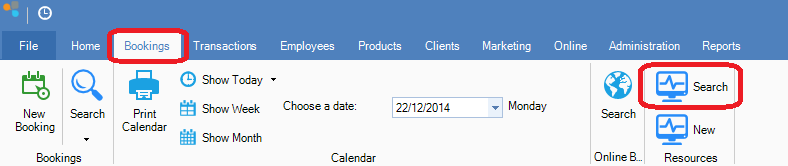
Step 1: Go to the Bookings tab and select Search in Resources.
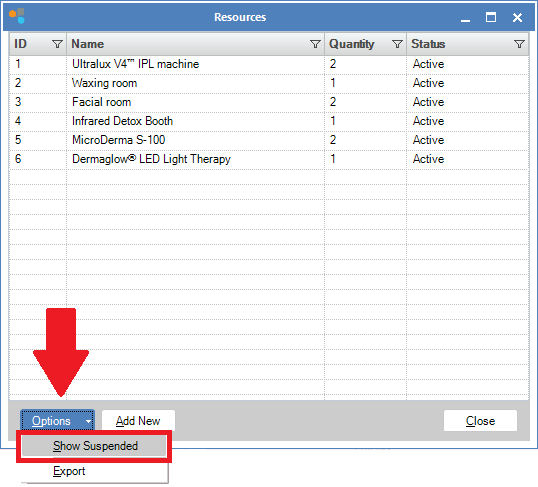
Step 2: The Resources window will display. Click the Options button and select Show Suspended.
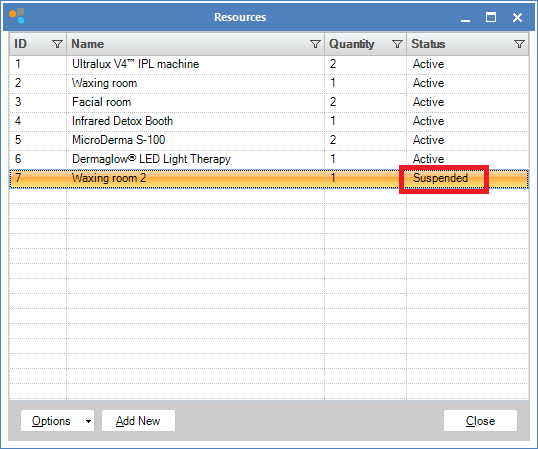
Step 3: You will now see a list of suspended items appear. Find the resource you wish to activate and double click.
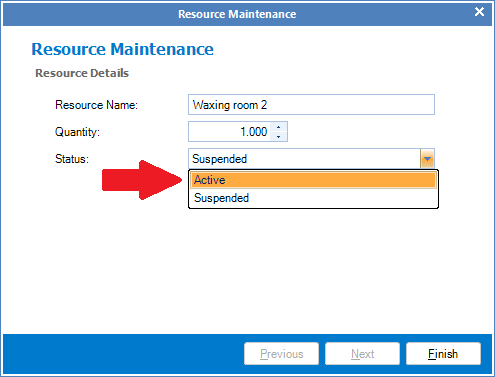
Step 4: The Resource Maintenance window will open. In the Status field change from Suspended to Active and click Finish.
Step 5: The item is now active and can be used.
0 Comments