
Konnect will automatically assign commission to the sales person of a transaction. You can however manually assign the commission to another employee.
To do this:
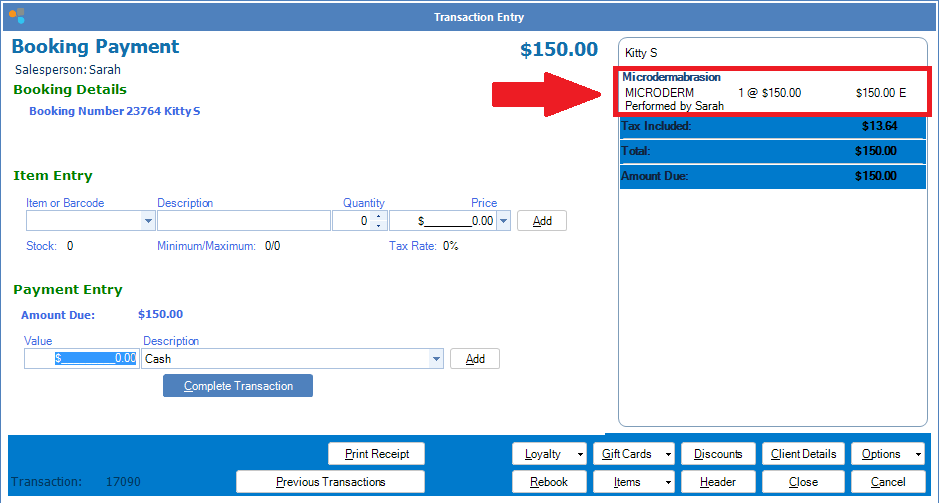
Step 1: Select the service you would like to assign the commission to.
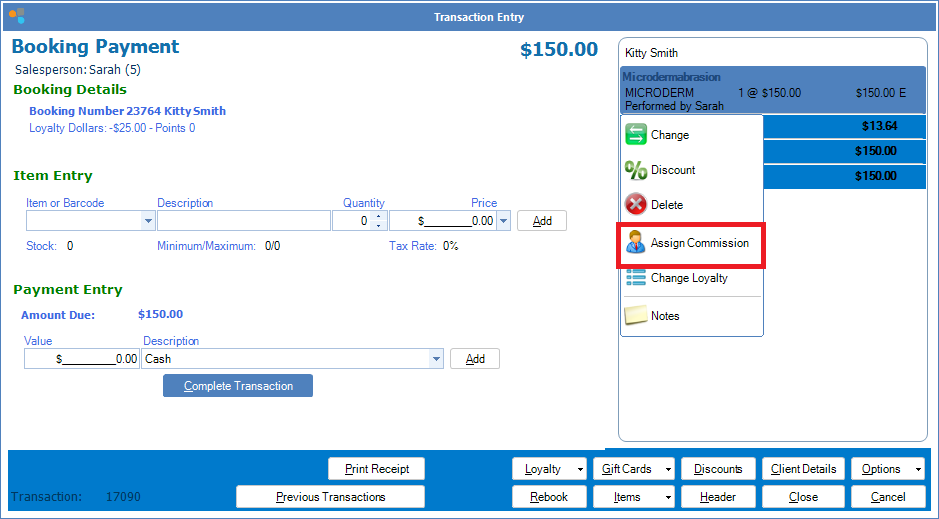
Step 2: A list of options will appear. Select Assign Commission.
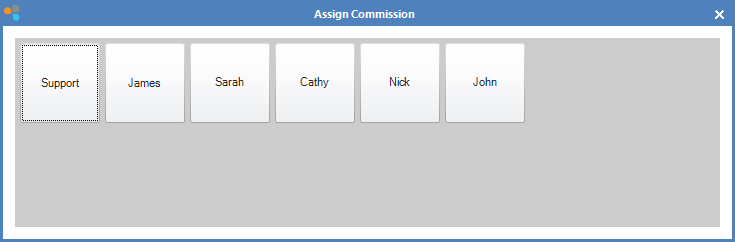
Step 3: Select the employee the commission is to be assigned to.
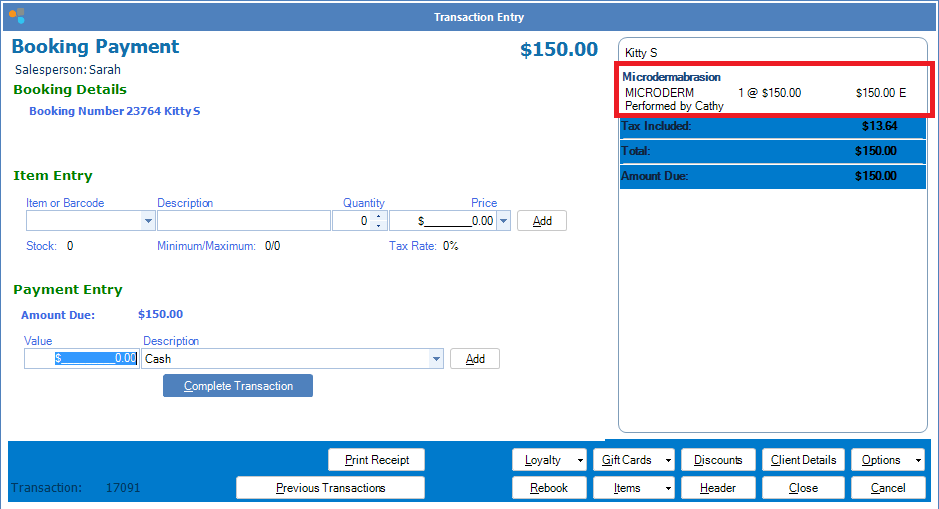
Step 4: The transaction line will now display the employee who will receive the commission.
0 Comments