
If you have received a shipment of products, they should be entered into Konnect as soon as possible.
Step 1: On the Transaction tab, select Receive Goods.

Step 2: The Receive Goods transaction screen will display. Ensure the costs of the product you enter are correct. Depending on your setup, Konnect will allow you to enter any combination, including or excluding tax. Enter the cost displayed on your invoice in any of the 4 fields.
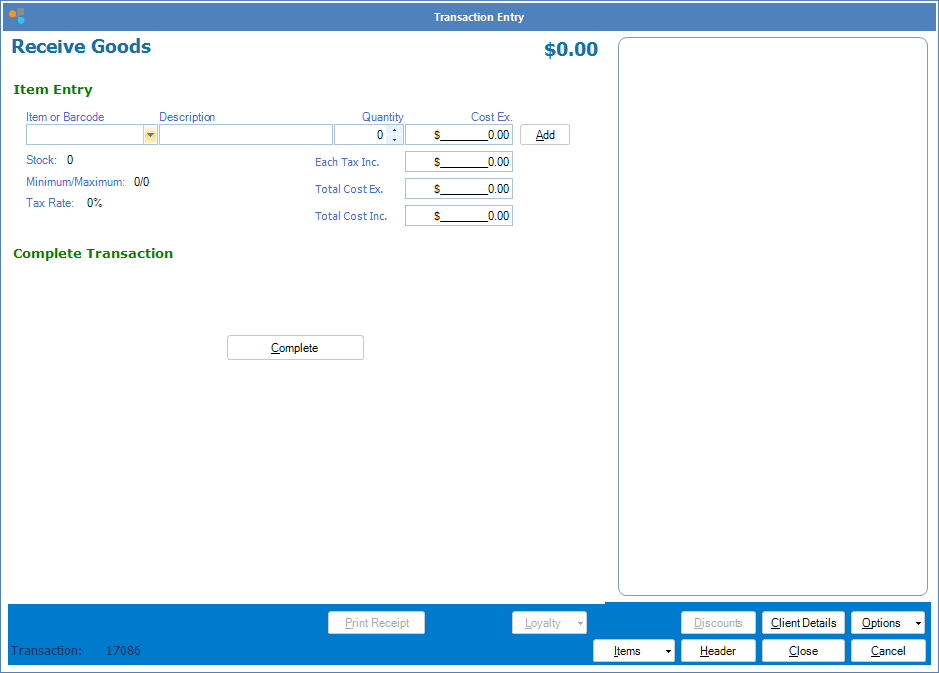
Step 3: Complete the transaction as you would a Cash Sale or a Booking Payment.
Note:
Konnect runs on average costing. Receiving stock before you sell it is crucial if you want to keep your costs correct. If the cost for a product is incorrect, or the store has never received stock into the system, write off all your current stock for the item, then click Receiving Goods and input the correct cost.
Average cost is calculated as follows:
((stock on hand x current average cost) + (receiving quantity x receiving cost)) ÷ (stock on hand + receiving quantity)
If you wish to receive goods without affecting average costing, simply leave the cost price at $0.00 when entering the goods.
YouTube Video:
0 Comments