
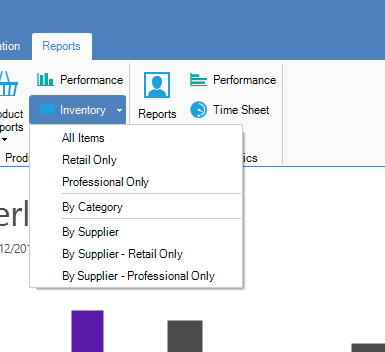
Step 1: Click on the Reports tab and select Inventory under Products & Services.

Step 2: A drop down list will appear allowing you to choose which type of inventory report you can generate.
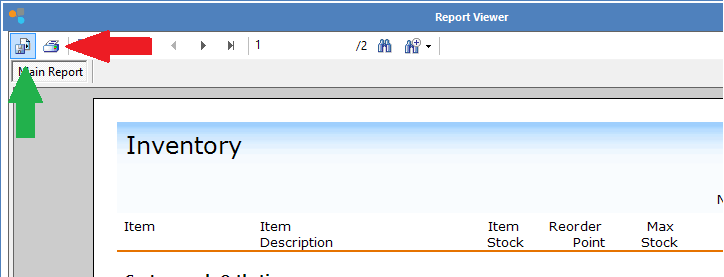
Step 3: Once you have selected which report you would like to generate, the Report Viewer will now show. You may either save or print the report by selecting the icons shown.
0 Comments