
This may be convenient for employers to give employees access to the website where they are able to view and create bookings online for customers.
To create a new user for the website:
Step 1: Go onto the Konnect website.
Step 2: Log into your account.
Step 3: Click on Support. A drop down list should appear.
Step 4: Select Users.
Step 5: Select New User.
Step 6: Enter the employees detail and link to the employee if you wish.

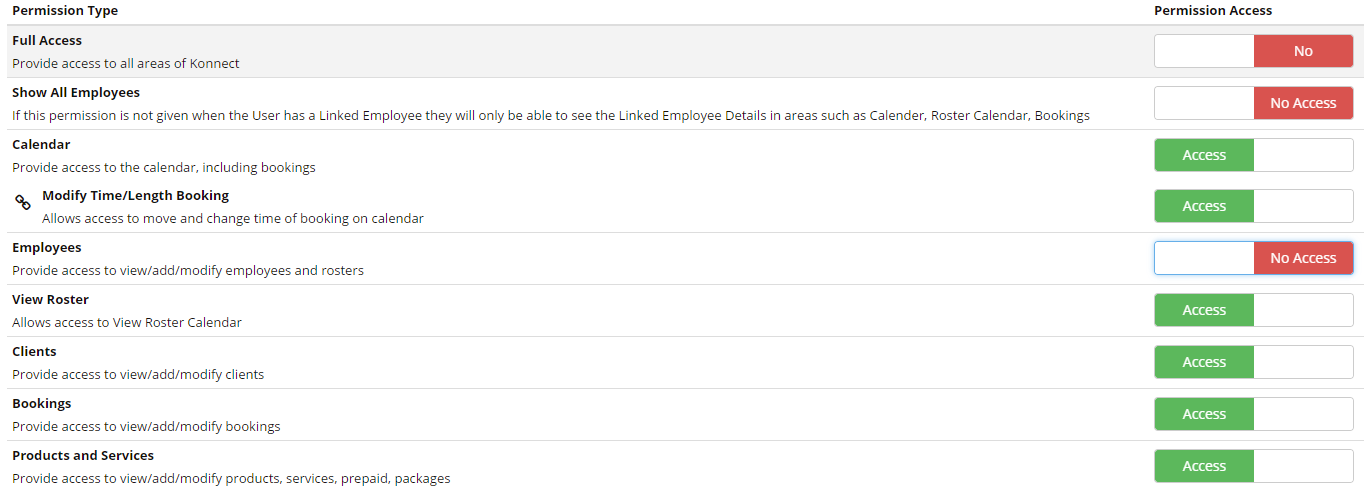
Step 7: Under permission type, employees can have restricted access if you wish to limit their control over the website.
Step 8: You will receive an email. Follow the email steps to create a password for this account.
0 Comments